AI radio copilot · private beta
Hear the call. See the operator. Log the QSO.
Bring radio control, digital modes, contacts, propagation and your logbook into one desktop workspace. Paid plans add callsign speech recognition and CW. Verify your QRZ account to download the installer; your one-time 14-day trial starts at first desktop activation.
No card required for the 14-day trial.
- 14
- Trial days
- €49
- Per year
- 2
- Desktop platforms
Verified operator access
Your installer, after QRZ verification
Your CQ Tracker account is locked to your callsign. We verify it by signing in to QRZ.com; your QRZ password is sent only to the secure verification service and is never stored by this website.
Choose the computer where you will install CQ Tracker:
- 14 days free from first activation in the desktop app.
- €49 per year after the trial when you choose to subscribe.
- Renews yearly on the final day of each paid period.
- Cancel any time. Access continues through the last paid day; no further renewal is charged.
Log in with QRZ.com
This page only unlocks a new installer. If CQ Tracker is already installed, close the browser and sign in inside the app with your QRZ.com callsign and password.
Create your callsign account
We verify that your QRZ.com login owns this callsign, then email you a confirmation link.
QRZ owner verified
, your download is ready
Save your one-time login key to Downloads, then install the app. CQ Tracker imports your verified callsign automatically. The key expires after one hour and works once; it is private to you.
2. Download installerUsing a different download folder? Open your .cqtracker login key on the app’s login screen. On another computer, log in here with this same account to create a new key.
Built for the modern shack
The desktop app combines local AI, live radio context, and a secure callsign-based account in one operator workspace.
-
AI callsign detection
Recognise spoken callsigns from receiver audio, look up the operator, and review the result before logging. Paid subscription required.
-
Digital modes & CW
DigiWave, spectrum and waterfall views, digital callsign exchange, and CW tools. Connect compatible radio and audio hardware; CW requires a paid subscription.
-
QRZ built in
Operator lookups, QSO logging, QSL cards and logbook tools. Available QRZ fields depend on your QRZ account and service availability.
Shack & radio control
Monitor your station, control compatible radios, organise pinned panels, or configure DigiWave Mobile remote control.
Find contacts & plan QSOs
Live CQ and spots, band maps, skeds, DX activities and award progress help you choose your next contact.
Propagation & the world
Solar conditions, propagation views, satellite tracking, Earth Clock and map layers add context to your station. Predictions and external data are not guaranteed.
sneak peek
A first look at the app
A few workspaces from the desktop app. Hardware support and live data depend on your equipment, configuration and connected services.
-
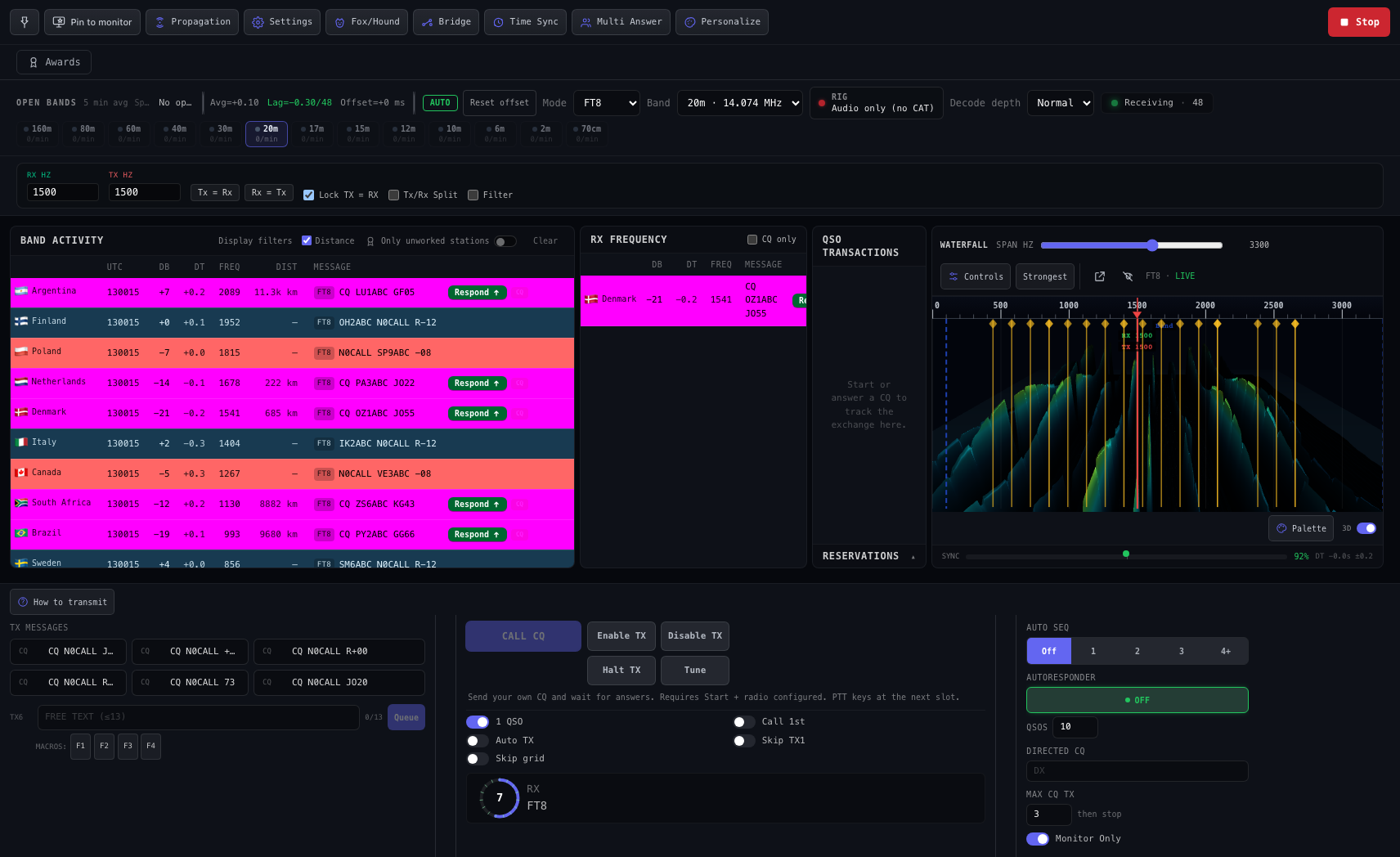
DigiMode · 3D waterfall & live decodes
-
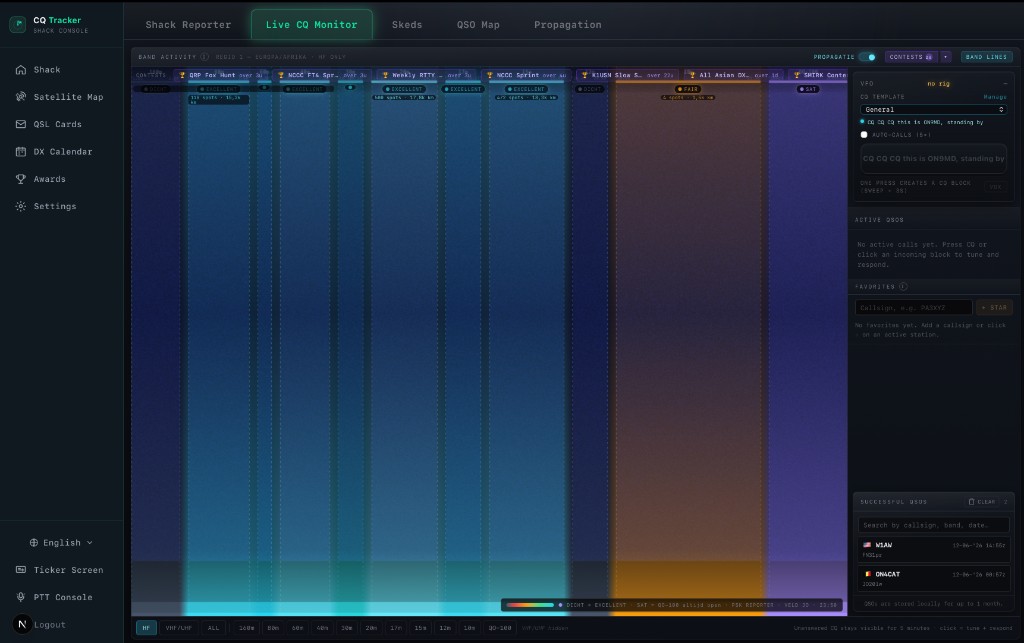
Live CQ & QSO monitor
-
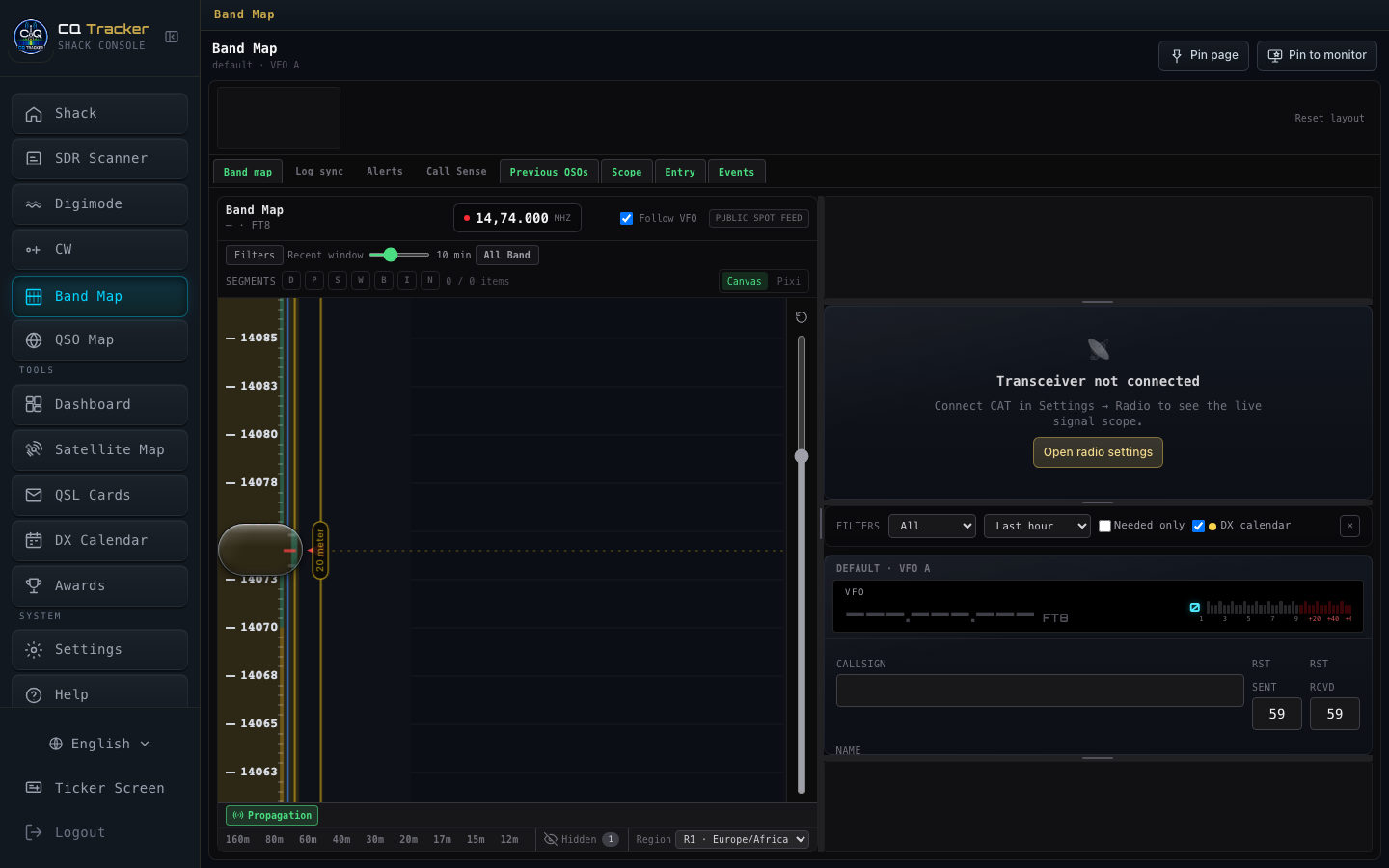
Band map
-
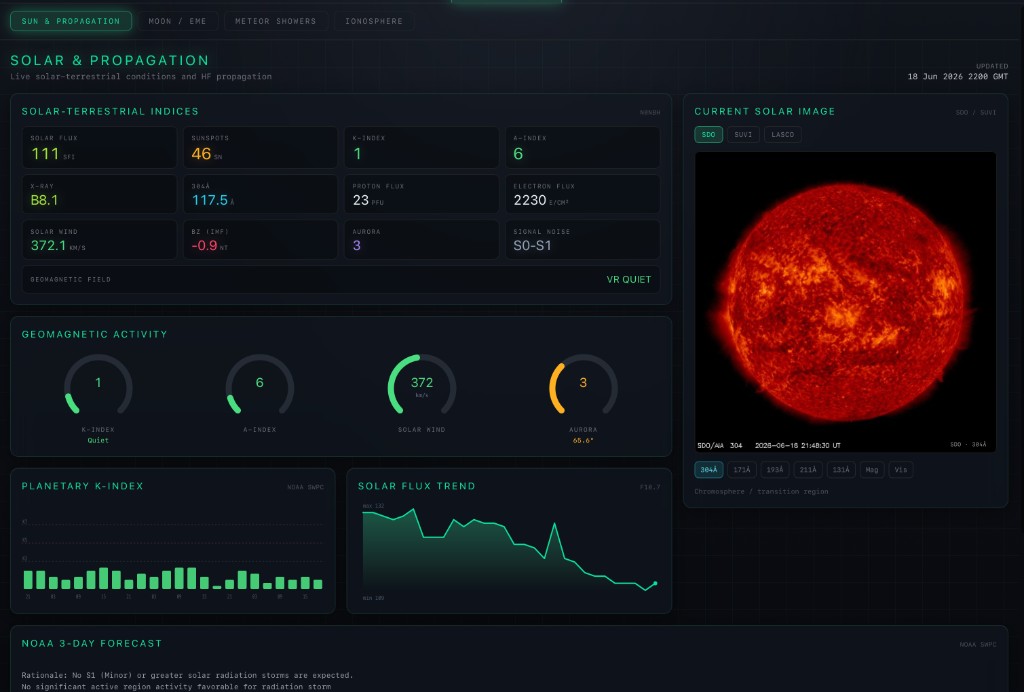
Propagation map